Midnight

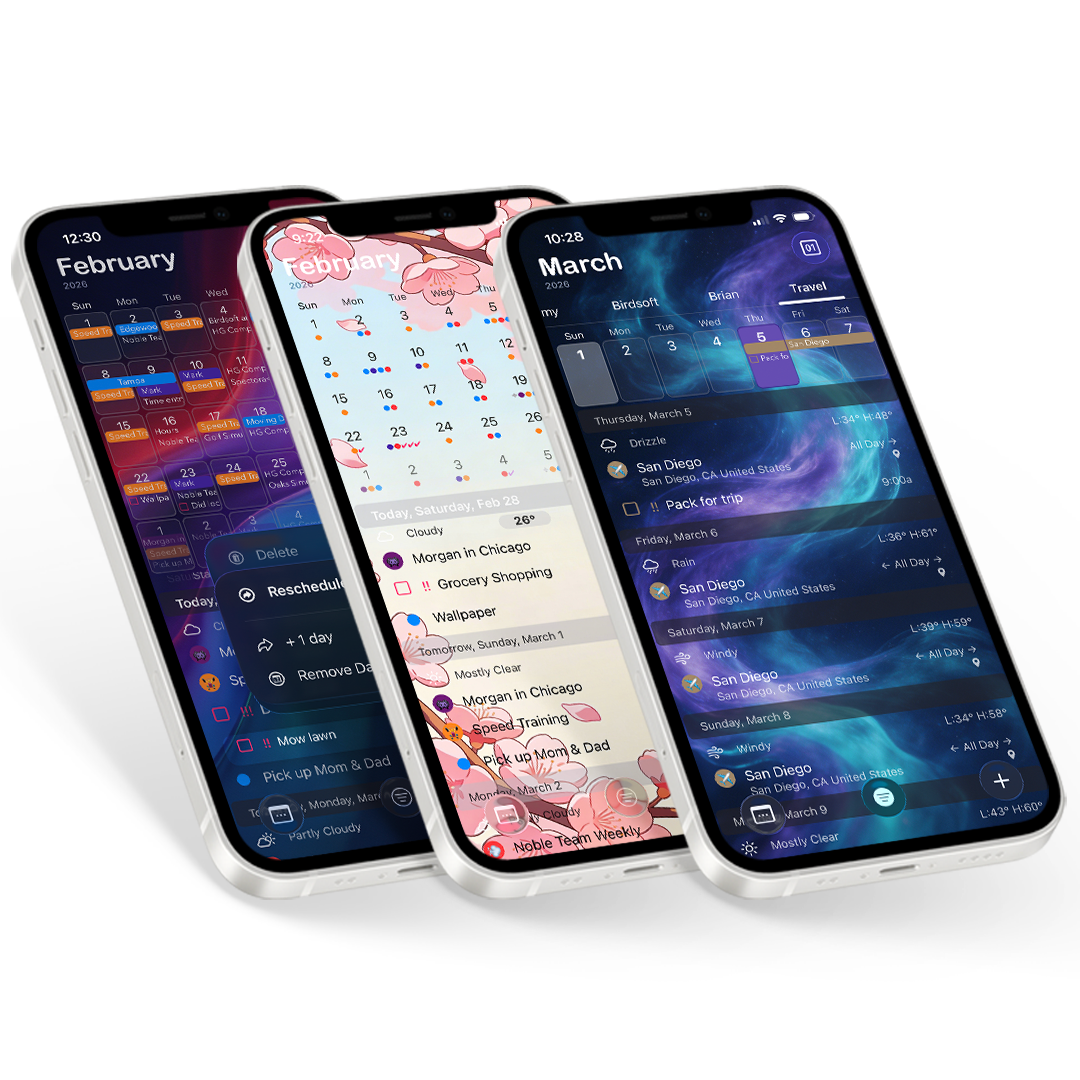
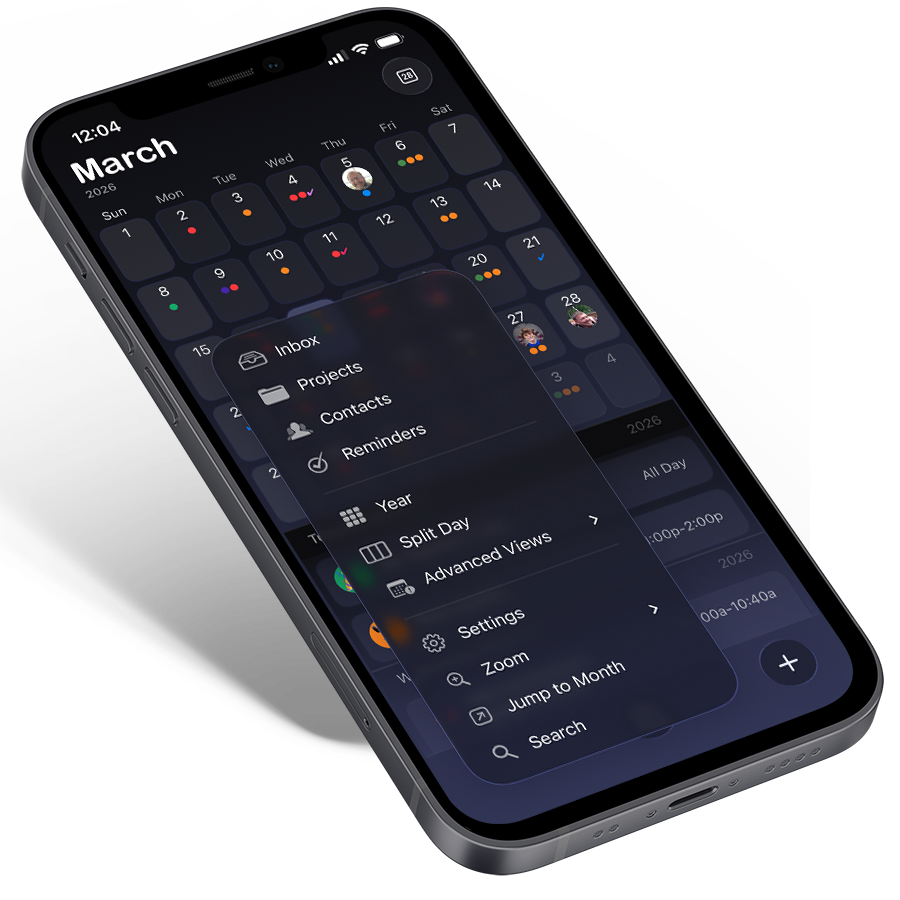
Today should see the release of our full paid version of the Midnight version of The Grid Calendar. We really like this product and hope that having a paid version can support it into the future.

Midnight

We have mentioned it several times in the past but thought we’d break it down here, We think The Grid is a superior product to Fantastical, the app that garnered so much attention in the press at the same time as every major release of “The Grid”. While they did a good job on that product, initially it was full of a lot of holes, that Im glad that they have partially fixed. It does have a unique way of scrolling through dates and a couple neat features, but really the UI isn’t over the top attractive and stays quite Apple generic.

So here is a breakdown of what we see as benefits of each:

The Grid Midnight Fantastical
Month View X X
Week Strip View X X
Search X X
Copy/Move Events X X
Week Numbers X X
Day Badge X X
Attendees X X
Natural Language Entry X
Time Zone Support X
Drag-n-Drop X
Templates X
Text on Calendar X
One Touch Filtering X
Advanced Repeating Events X
Multiple Event Alarms X
Email and Share Events X
Multiple Themes X
Universal X
Dated Reminders X
Weather X

And a little secret, we have a couple things in the works for the only 2 things they have we don’t.

Thanks for considering ‘The Grid’, and if you aren’t convinced try out the FREE version and give it a try before upgrading or buying Midnight.

Midnight “The Grid” on AppStore

Playing Devil’s Advocate..

Ok, I am getting into the “heavy design” stuff, Extreme Agenda 4.0 will be a big step in this direction. And as of yet I have not proven that most of my design heavy apps are over the top great. Well, PokerTimer is the most popular Poker Clock in the AppStore(I did that original minimalist design a few years ago). And ‘The Grid’ did get 120K downloads in 3 days last week…. And the original XA 1.0 was pretty crazy experiment into alternate design. But by no means do I label myself as even ‘good’ yet, I’m learning like everyone else, this whole design focus is relatively new.

And I like to discuss development and all of this stuff with other developers. But recently I was left out of a Branch.com group of App-Makers because I wasn’t known/big enough, which actually includes a lot of people with less popular apps or no apps at all, because they are considered “influencers’. It so far has left out quite a few of the developers that have a different take on the AppStore, the ones I’d like to hear from. So I figured I might get back into posting some opinions here…

The most recent post of the branch.com App-Makers is about App Ideas. And granted quite a few in this group have had 1 or maybe 2 really good ones… But so far the direction of the conversation has gone in the direction of high design, one basic idea, simplicity and good UI. Makes sense…and we as developers have all heard it so many times before. That is what is working in the AppStore right now. But let’s examine this.

This is a response from Ellis Hamburger, a journalist at “The Verge”, so an Influencer:

“Any time I review an app, I compare it to the baseline in the category. When I reviewed Fantastical for iPhone I compared it to apps like Calvetica, Week Calendar, and Agenda. Not only did I find that Fantastical had a better feature set, but it also delivered a smoother user experience. The calendar app category has been around for YEARS, and Fantastical had years to prepare to win. Ultimately as a developer you must aspire to be the best in your category, which often means looking to competing apps and making sure you can outdo them from the get-go — and *don’t launch your app until you meet those goals* since any category only has a few real winners. If you can deliver, then you’ve got a “good idea.” You have your work cut out for you.”

Side Note:coincidentally those are the exact 3 apps I was shooting at with ‘The Grid’ too, that came out at the same time and was overshadowed by Fantastical.

So, yeah, he likes Fantastical. But now dissect Fantastical.

Really, the App is two views, both beautifully done. But both not always practical in everyday use. Take Fantastical and try to check out what you have going on in October. Yeah, you can’t get directly to October. How about October 2015? And yeah, once you get there they just use the standard ‘colored dots’ to show you an overview of the month. Know what they are? Have 5 events on a day, sorry we only made room for 4 dots. And dont even think about trying to see October in the week/list hybrid view.

Now re-create a commonly used event, move an event to another day, hide events in the calendar you don’t want to see…

Their other big feature is natural language event entry. And unless you are a speed typer on your iPhone, having to type in events in real language is neat, but isn’t the most practical (to do certain things you have to have shortcut formats memorized). And a small hint: you can use Siri to do it with Voice for all iCal based Apps. It’s genius on a desktop, which is where the idea came from. Want to edit events the regular way, well another secret you wouldn’t know, they just used an SDK call to Apple’s exact same event view, but put their pretty title bar on it.

Is that fully designed?

So I give Ellis the fact that besides ‘Week Calendar’, which blows Fantastical out of the water feature wise, the other calendars mentioned are lacking in areas as well. But they also are priced lower. So what made him overlook this and believe it was ahead was the “Smoother user experience”. Pretty design and a couple neat new takes on features seem to make you not fully examine an app’s long term use?

Or Clear is another often used example. Clear did some amazing things with gesture based list interaction. It tried something different and was rewarded for it. But they also went overboard, and did stuff that doesn’t and won’t ever feel natural in order to stick with their paradigm. And Clear offered very few “standard list” features, things that you just expect to be there to make it really handy and usable. You have to dumb down how you use lists in order to stay ‘in love’ with using it, all for the sake of good design and this trend of less features.

These are both widely considered what are the ‘top bar’ of what iOS apps should be and are crazy successful, though I will contend with a lot of help from the media and Apple(different can of worms). But they know how to play the game, and obviously put a lot of thought and design into making the Apps…

They are just not my kind of apps, they leave out key features because they don’t work for their ‘design’. Maybe its a function of the fact that for the price apps are now they are throwaway, so you can be wowed by the new calendar’s slick ideas, and dump it 3 weeks later realizing you originally agreed with the reviews, but now see the holes in it…

It’s convenient to use this less is more excuse, isn’t that what Apple does, but yet we are all also clammering for a revamp and more functionality from iOS7 from Apple…WIDGETS WIDGETS WIDGETS. And just think what we could all do if Apple opened up even more development flexibility. That might stifle simplicity.

Some of the best apps out there don’t all fit into a simple “Elevator Pitch” and depend on a glossy icon. The ones that do sure are easier to maintain though… :)

So it makes me wonder. Are we just at a time where we’re tearing it down to build it back up, making cheap apps what cheap apps should be. As one developer said, these *great* app ideas “reset the baseline”, but it seems some are doing so with inferior apps. Will these apps grow up or be passed in the mainstream by a higher level of app.

Will the vasty majority of users mature over time, to want well designed apps with great user experience, but with FULL MATURE FEATURE SETS…

Im shooting for maturity with great design, and I could name a bunch of great apps that already do too, I just hope the ‘bar’ can move up…

Branch App-Makers Thread

UPDATE: Well, it appears Branch pivoted, which made their site way simpler and less usable, but also does away with the group/clique thing that had irked me. It is just as well, the ‘moderator’ that had created the clique had dropped the ball and not kept it active, something that having more members would probably have helped. I recently noticed a post he made about how his original app, that one a design award, was outsold by his new app. He is one of the design and simplicity guys I talk about. I don’t get how he never realized that his first application was only half an idea, and had he actually created a full application with his award winning design abilities in the first place it would have sold a lot better, instead another product took all of those sales and more and does extremely well. Luckily he did better on his second product, but not realizing this makes me wonder about having him be a speaker and an ‘influencer’ in our market. And using the simple thing as an excuse failed ….

Wow!

Well last week was a fun week for us. You showed us that we did build a stellar product in ‘The Grid’ It obviously had not been doing that well as a product, as it got lost in the vast black hole that is the AppStore. So to try to draw some attention to it, we set it to free for the weekend. Well, the app was featured on Sunday (Jan 27th) by AppAdvice’s AppsGoneFree promotion and picked up by others, and with that it ratcheted up the AppStore Top Apps List. It eventually made it up to around #220 for iPhone and #130 for iPad in the whole store, with a top 10 in the Productivity category. We loved the exposure so left it free for the next few days where it got a ton of new reviews and maintained over a 4 star rating, and over 120,000 new downloads.

We happen to be super busy here at Birdsoft, cranking on Extreme Agenda 4.0 and about to tackle our enterprise solution development and a consulting contract, but we decided it would be worth it to try to use that traction in a positive way. So we are looking into finally giving our site a much needed facelift. And more importantly, we are tweaking ‘The Grid’ to include most of the most asked for features and changes from the reviews(iPad Landscape is done), and adding two big new features to ‘The Grid’ that will be available as an InApp purchase. One is a new view and one is Reminder Support. Both should be done for the new version to go out at the end of the week. We’re excited to hopefully find a way to regain that momentum and get people using what we consider the best lightweight calendar app on the AppStore. And hopefully we get Apple to notice so they help us along to bigger and better things…

And yes, Reminder support and this new view are going in Extreme Agenda 4.0 too.. And doing this has already helped the progress of that tremendously. Extreme Agenda’s scope is on a level way higher than this, so when that comes out, its going to be a whole new ballgame for full on organizers. We just want to get everything right!

So watch for a new site and new ‘The Grid’ version soon, and Extreme Agenda 4.0 by the spring… FUN!!

2013 and beyond

Well, we didn’t make the big splash that we wanted to with our new “The Grid” products. But we feel good about them anyway and hope they find some traction. A big plus and one of the reasons we felt comfortable doing them was that building both Apps was like a big R&D project for our Extreme Agenda line of products. So watch for great new features and ideas incorporated over in our upcoming versions(some already have). And we learned a bunch of valuable information about the App release process that should help in the future.

So while we ran into an “Apple Favorite” in the Fantastical release at the exact same time, we still believe that The Grid calendar is a superior product once you get by thinking you like the gimmicks. Ok, so that product has some good design in it and is well done for what it is, but the two main features of it, one was borrowed from another bigger PIM app(week ribbon), and the other feature of typing in your event in real world terms just isn’t that practical on a device, and can be done with Siri if you are using voice(which works with all compatible apps). Their success lies mostly in the connections they have, something we desperately need to work on this year. Its overpriced for what it is, try “The Grid” for much cheaper and its main features, drag-n-drop, templates, and one touch calendar filtering really do change the way you interact with a calendar.

But enough with that, we are moving on to what could be our biggest release ever. We are working on a huge new update to Extreme Agenda, version 4.0. Some things we know will make it in that are coming over from ‘The Grid’ are Drag-n-Drop, adding calendars, new interactive windows, better template inclusion, one touch calendar filtering, group text/emails… And then Reminder support! Beyond that there are a bunch more cool features, and we have really done some work on the interface so it it will be so much more customizable and so much more clean and great to use. Make sure you join the “Extreme Agenda” Facebook group to see sneak peeks. And if you are interested in Beta Testing, we are looking for a few more people that will really give us their opinions and help us make the product even better.

And then we have an Enterprise based project going as well that goes back to our utility company mapping roots. So we hope that with these 2 things and whatever else the year may bring, we can keep bringing you quality iOS apps that you love.

We hope you like our new products…

So we had these ideas. We have seen some cool productivity applications come out that were heavy in design, did one thing and did it well, looked good, and grabbed everyone’s attention. And they are popular. Apps like Clear and Launch Center Pro come to mind. So we decided to make a couple of apps that try to fit this mold. We borrowed from our powerhouse app Extreme Agenda, but relied on that for the backbone, and really stripped it down and started almost completely from scratch UI wise. And not only do we think we succeeded in making some really cool apps, but creating these apps turned out to be like advanced R&D for our big app. Some of the results have already been rolled back in, making that app and code cleaner, more refined, and adding some cool new features.

One of the Apps is a Contact App that uses a grid system to display your contacts and makes it very fast and efficient to contact any of your contacts. This grid view has already been rolled back into XA, but the new app is a light, fast loading app with its own beautiful look and some interesting twists that make everything so easy. It has been approved and will be out soon but we have decided to hold it and release both apps together.

The other app is a calendar app that we hope to redefine how you calendar on your iOS device. We stripped down our calendar to its core, and built it back up with a couple of unique ideas in place. We’re not quite ready to share everything about it yet, but we did put drag-n-drop of events which is a game changer(and will come to XA soon as well). It is also built to be light and super fast loading and is one of the best looking calendars in existence.

We hope you keep your eye out here and on our Facebook and Twitter pages for the apps as we want to make as big a splash as we can.

And for the press, promo codes are available now for Contacts and will be available soon for Calendar.

Come see if we have redefined calendar and contacts on your iOS device…

Watch for The Grid!

and go check out a sneak peek screenshot on our company Twitter page.. Birdsoft on Twitter

Where the calendar app will live socially:

The Grid – Calendar on Facebook

The Grid – Calendar on Twitter

Extreme Agenda features walk thru… (#1)

I thought it would be a good idea to start doing little tricks and tips features in the blog to show people just some of the many features in Extreme Agenda. I know by watching some new users and some of the technical support that we get, that people don’t quite wrap their head around what all the app offers. So here are a few key features(some are also shown off in our product YouTube videos) and ways I personally use the App.

Wildcard Templates

One feature that will really speed up your adding new events is to effectively use the template system in the App. To create a template you simply go into adding an event. Then fill out all the fields that you know you will want to use in every future event that looks like this, then simply hit the “Save to Template” button on the bottom of the list. Now this template will appear in the template list (button next to done) whenever you go to create a new event. Go in, select the template you want, and ‘boom’ all the fields that can be saved are then filled in including time(not date).

To make this more powerful you can use the wildcard ‘**’ in the subject. What this means is when creating the subject for your template use ** and it will get filled in with whatever is already in the subject. For example, if you have a template with the subject ‘Meeting with **’ and you create an event by using the contact to event button (clock with plus in the individual contact toolbar), it will initially come in with the contacts name, like “Bob Jones”. Now select the template ‘Meeting with **’ template and your event will now have a subject of “Meeting with Bob Jones”.

These wildcards are pre-loaded and work in the text select screen attached to subject(blue arrow) as well. So if you dont want to have a full template but want to use the phrase ‘Bring ** to Dentist’ you can enter it in here to make re-entry just a matter of picking it…

Move/Copy/Paste

Another very powerful feature is being able to cut and paste events in our App. To do this you just have to remember that like in the desktop OS, once you select an item to Move or Copy, it is remembered in memory(clipboard) until you decide to paste it.

To move or copy in the app you must look for the 2 buttons. They appear in Tap-n-Hold toolbars on events such as in the tabbed calendar at the bottom if you hold down on a specific event a blue toolbar will appear. The first button with arrows pointing in 4 different directions is ‘move’, the second button with a clock and dotted clock behind it is ‘copy’. These can also be found in the toolbar when looking at a full event or in timeline day if you bring up the event toolbar by hitting the toolbar button(gray button with 3 squares).

Just hit ‘copy’ or ‘move’ on the event you are looking to move. Now with the system remembering this, just move to the spot you want to ‘paste’ it. So if you want to move it to another day, you can tap-n-hold on a day in the calendar or week and a day toolbar will appear with the first button being ‘paste’(arrow pointing at a clock). Hit this button and the event will be moved or copy to this day at its original time. You can also use it to move an event in the same day to a different time, so in the timeline day view if you tap-n-hold at a specific time, like the 4:00 row, a similar toolbar will appear to place the event here.

Timeline Day Inline Editing

You will notice in the Timeline Day view that you can quickly add an event by holding down a time row for the tap-n-hold toolbar and then hitting ‘+’. Using this view, instead of going into a full event edit screen you are just dropped inline to enter the subject of the event. It will use the default length, alarm, and calendar(in system settings) to create this event. This view also allows you click on the time and a toolbar will appear that you can then set the time at 15 minute intervals or ‘all day’ without going into the full edit. So if your appointment is at 4:15 just enter it inline at 4:00 and then click the time and choose :15. We hope this allows you to quickly enter an event, and you have the event toolbar button if you need to view it or do more advanced editing.

Emailing Events and the advanced toolbar

When viewing a full event item, the toolbar contains a tool (wrench) button that contains other great choices you may want to do quickly with this event including converting it to a task, email or text the event, or post it to your Facebook timeline.

The email event is designed to add what is called an .ics file as an attachment to the email when sending. So not only will the body of the email show you important information on the event, but on a lot of systems(including other iOS devices) the receiver can then use this file to automatically schedule it into their calendar.

Categories in Contacts

The App uses categories to make everything much more powerful including filtering, colors, and icons. But the contacts categories actually go a bit further as they are implemented with the actual Apple ‘groups’ system for contacts. So if your contacts can use these, it will actually add categories as groups, so they can be sorted by this in other applications that use ‘Groups’. There are actually popular full apps to implement this feature alone out there.

To add categories in the App, simply use the toolbar button with 3 stacked cubes on it. We use the default contact editing screen, so have to do this externally in its own screen.

———-

Hope this helps you discover just some of the power that is already built into Extreme Agenda. And as always if you think of ways to improve the app, we always appreciate an email or join the Facebook group and tell us there.

Thanks and Enjoy…

End of Summer Status…

It has come to the end of the summer, and just one more small vacation for the Labor Day weekend lies between us and really putting our noses down and grinding out more new code for you. Version 3.2 of the Extreme product line finally made it out this month and we are excited about what we turned out. We are very happy with the lack of too many real bug reports having to do with ToodleDo sync, and a couple of the ones that did have problems don’t seem to understand the concept of technical support and just posted a bad review and moved on instead of letting us try to help and improve what we have.

We are now finishing up a new sub-product in that Extreme line to hopefully bring in even more sales and attention, and then we have a few updates in mind to add to Extreme Agenda, a long needed update to PokerTimer (now with over 80K downloads) and a whole new product(well new to iOS). So we are hoping that with the new and upcoming additions we make we can be ready for all the great new users getting iPhone 5s and iPad Minis this fall…

It should be a very interesting rest of the year.

Thanks

Birdsoft

And please remember to update or add new reviews if you like our products, or at least hit the 4-5 star rating for the current version….We really do appreciate it!

Spring Status

So…. we have been grinding away here at Birdsoft. Some consulting and prototypes have taken up a bit of our time so the promised version 3.15 with ToodleDo sync has been delayed longer than we thought. Well we are pleased to tell you that we have it syncing tasks. Now we just want to build up the failsafes and error handling around it and do a bunch more testing before we release it to you.

Along with that, in order to keep us excited and not burnt out on the ToodleDo stuff, which it somehow had that affect, we have started to add a bunch of new options and features to go in the release. So version 3.15(if it stays with that #) might actually feel like a full point release. A lot of the new stuff will be UI and cosmetic related, mostly allowing you even more options to make it look like you want it to. And then a bunch of smaller but hugely helpful features. And then one other big thing we are fairly certain will also be included is the initial “Notes” view.

So we are shooting for 2-4 weeks to get the whole thing wrapped up and out to you. And by switching focus for a bit we think that not only will it get you task syncing, but a whole bunch of new functionality to go with it..

We’re excited for you to see it…

Thanks

Sorry about that…

We have really been trying hard to not stumble into what some of our competition have been dealing with lately… namely making an app unstable and buggy or completely changing our app, and forcing you to like our changes. And I think for the most part we’ve been successful! And we keep trying to correct the bugs we hear about as quickly as possible.. And as a side note, it wasn’t mandatory to go to the new Tabbed UI, we still let you turn back on the older one if that is what you prefer, though some people in reviews didn’t quite catch that…

But we did just make a little screwup for our users outside of the US when we went to add some translations for other countries and at the same time tried to make it friendly even for countries who’s language isn’t fully supported. Basically we went to using the global settings app’s “Region Format” for things like day and month names, but didn’t quite catch on that that can mess up the week day order. We get it now and we’ve been quickly submitting updates to try to clear up the problems that that caused as fast as Apple allows us, and throwing a few other bug fixes in as we get them taken care of(it affected some repeating event stuff as well). So hopefully with version 3.13 those problems are all taken care of (as well as the added bonus of starting a month or week on any day), and the long awaited “ToodleDo Task Syncing” update can be finished up and put out there for you soon after…

So for those who it affected, sorry about that…!!

Thanks.

And if you are a native or fluent speaker of one of the new languages, we’d love a little help with anything you see translated poorly as it was a first attempt and depended a lot on Google Translate (namely Portugese, French, and German) . Just contact us and we can let you know how to help…

If you want more information on the status of Extreme Agenda development, consider joining the Facebook User Group for XA

Sneak Peek.. Version 3.1 Tabbed UI

We have submitted version 3.1 to Apple of Extreme Agenda. Its huge new feature, a 2nd UI choice where the whole thing can use a tabbed interface. Check it out, and see how we just keep trying to innovate and make the best Organizer for iOS. (You should see it on the iPad – remember its Universal).

Thanks